Contents
Takes about 30 seconds
Who wrote this, and why
We make one of these. RestoreYourPhoto is ours and it is first in the table, so read the comparison with that in mind. In exchange: every price links to the vendor's own page, and where a competitor beats us we have said so. Palette.fm is cheaper per photo than we are and exports far larger.
There is no hands-on testing claimed on this page. A fair quality comparison means the same black and white originals through every tool, blind scoring, and repeating it whenever a model changes, which is every few months. What follows is published terms and what each product is built for, all checkable against the linked sources. For how colorization actually works and what it invents, see colorizing black and white photos.
What each one costs
| Tool | Price | Free tier | Output |
|---|---|---|---|
| RestoreYourPhotoours | $6.99 to $109.99 one-time | None | 1080p, no watermark |
| Palette.fm | $72 a year, or $49 once for 2 years | Yes, with limits | Up to 5000x5000 on paid |
| MyHeritage In Color | $149 a year, whole platform | A small number of uses | Not stated on the plan page |
| DeepAI | $7.50 a month billed annually, or $9.99 monthly | Yes, basic access | HD on paid tiers |
| Hotpot.ai | Credits from $12 per 1,000 | Limited | Varies by tool |
| DeOldify | Free, open source | Entirely | Whatever you configure |
Read off each vendor's own page on 3 November 2026. Prices change and several vary by region.
What each is good and bad at
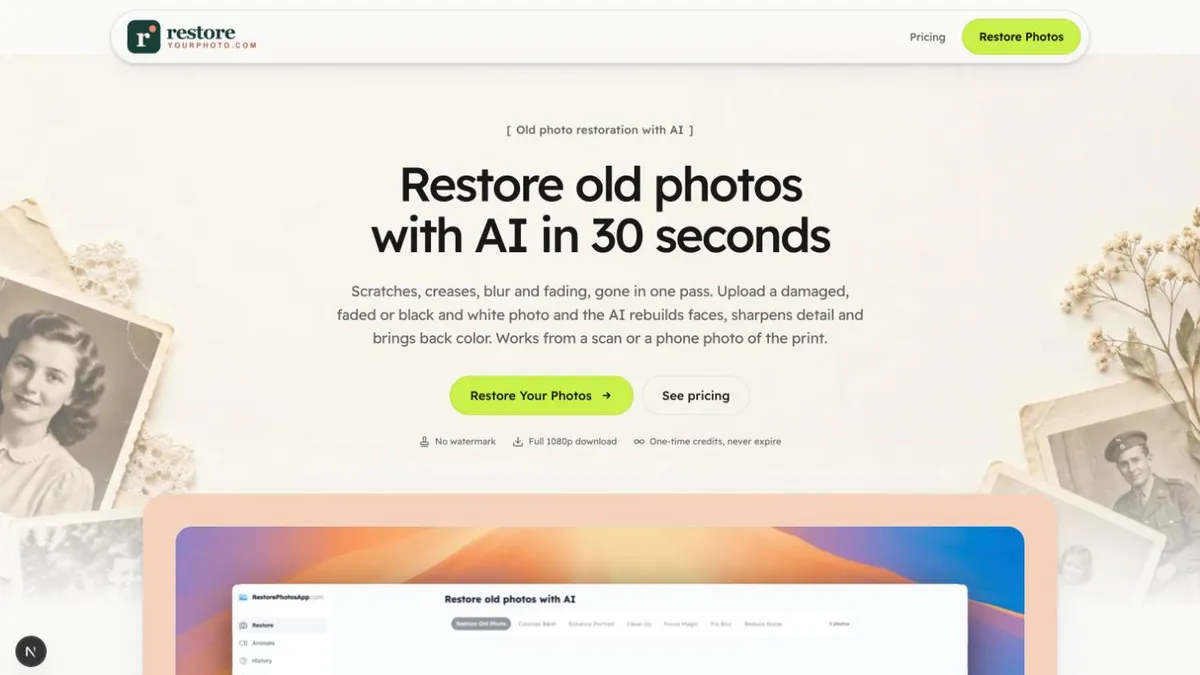
RestoreYourPhoto
ours$6.99 to $109.99 one-time · 1080p, no watermark
Where it wins
Repairs the damage and adds the color in the same pass, which matters more than it sounds: colorizing a scratched print colors the scratches. One-time credits, nothing renews, nothing expires.
Where it does not
Output caps at 1080p, which is well below what Palette.fm gives you on a paid plan. No per-object color control, no way to tell it the dress was green.
Checked 3 November 2026 · our pricing
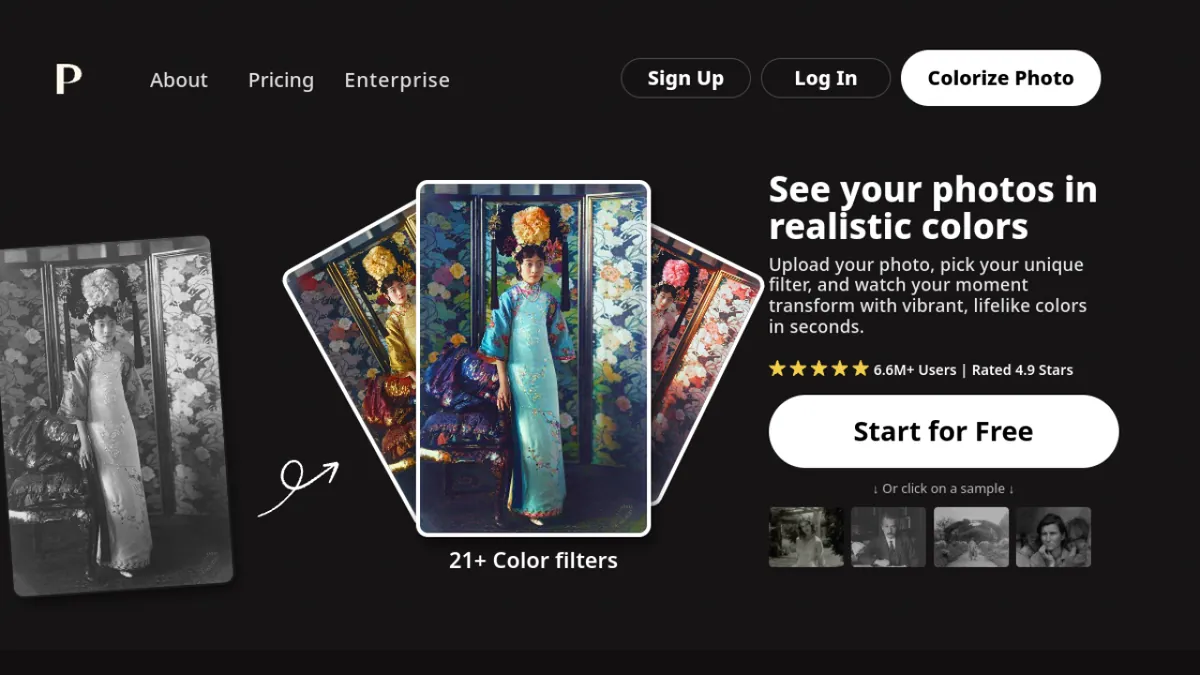
Palette.fm
$72 a year, or $49 once for 2 years · Up to 5000x5000 on paid
Where it wins
The specialist. Over twenty color filters, output to 5000x5000, and at $72 a year for 480 credits it works out at $0.15 a photo, the cheapest per image of anything here. The $49 one-time option covers two years.
Where it does not
It colorizes and does not repair, so a damaged print needs another tool first. The free plan resizes images to 500x500 and stamps a Palette logo on them.
Figures read off their own their pricing on 3 November 2026
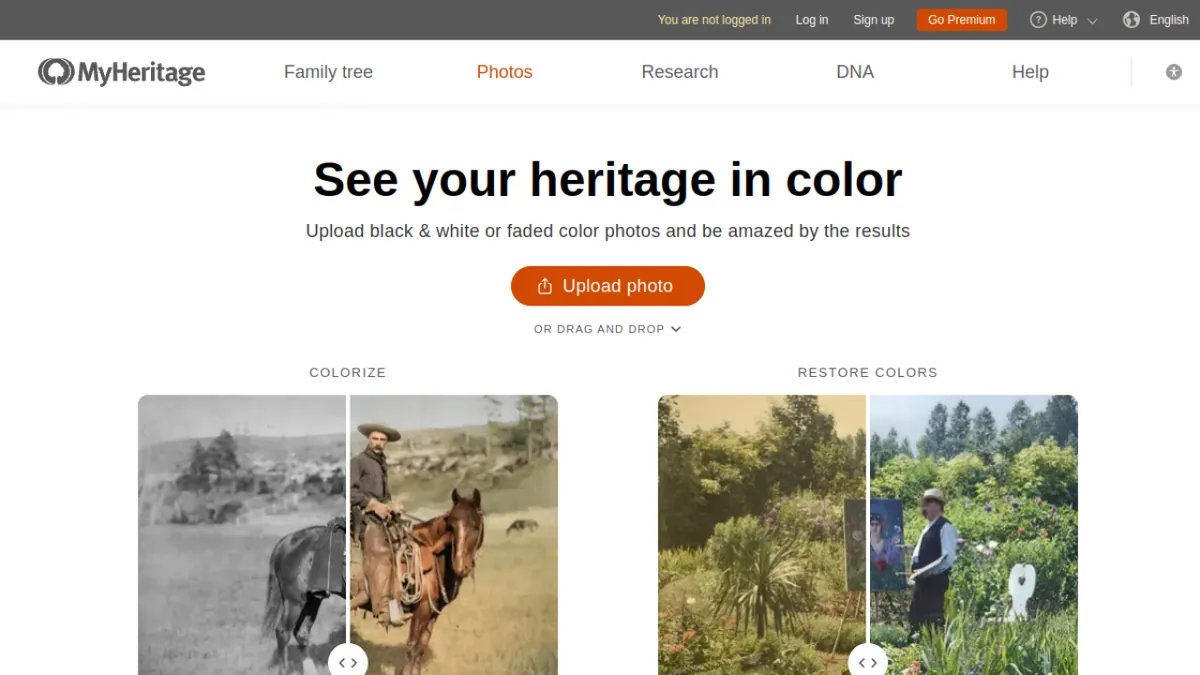
MyHeritage In Color
$149 a year, whole platform · Not stated on the plan page
Where it wins
Unlimited on the Complete plan, alongside Photo Enhancer and Photo Repair, and the result attaches to the person in your family tree. If you already pay for the tree, this costs you nothing extra.
Where it does not
You are buying a genealogy platform. At $149 a year it is the most expensive way here to colorize a photograph if the tree is not the point.
Figures read off their own their page on 3 November 2026
DeepAI
$7.50 a month billed annually, or $9.99 monthly · HD on paid tiers
Where it wins
One subscription covers everything DeepAI makes rather than colorization alone, and there is a pay-as-you-go wallet at $1 per 100 HD images if you would rather not subscribe at all.
Where it does not
A general AI toolbox with colorization in it, not a tool built for family photographs. Nothing here is tuned for period clothing or the tonal character of old film.
Figures read off their own their pricing on 3 November 2026
Hotpot.ai
Credits from $12 per 1,000 · Varies by tool
Where it wins
Credits can be bought once rather than subscribed to, with monthly and yearly options if you prefer, and the same balance covers a wide set of image tools.
Where it does not
The credit cost of a single colorization is not published on the pricing page, so the per-photo price is not something you can work out before signing up.
Figures read off their own their pricing on 3 November 2026
DeOldify
Free, open source · Whatever you configure
Where it wins
Free forever, no account, no upload to anybody, and you can run it on your own machine. It is the model a good deal of this category was built on top of.
Where it does not
You have to run it, which means Python or a Colab notebook and a tolerance for things breaking. There is no support and no interface, and it colorizes only.
Figures read off their own the repository on 3 November 2026
The free ones, and what they cost you
Only one of the six is genuinely free with nothing attached, and it is the one you have to run yourself. The hosted free tiers all recover their cost somehow, and the two mechanisms to look for are a watermark and a resolution cap.
- DeOldify: free, and you do the work
- Open source, nothing stamped on the output, nothing uploaded to anybody. The price is Python, a Colab notebook and a tolerance for things breaking. If you are technical, this is the honest answer to “free”.
- Palette.fm: free with a logo and a cap
- Their free plan resizes images to a maximum of 500x500 pixels and places a Palette logo in the corner. That is clearly stated on their own page, which is more than many do, but it means the free output is a preview rather than a result.
- The test that settles it
- Produce a result, download the actual file, and open it at full size. A clean preview tells you nothing, because both the watermark and the resolution cap are applied at export. It takes a minute per tool and it answers both questions at once.
Repair before color, every time
The single biggest mistake in this category, and it is not about which tool you pick. A scratch reads to a colorization model as the boundary between two objects. It paints along the line, and you end up with a colored stripe that is harder to remove than the original scratch was.
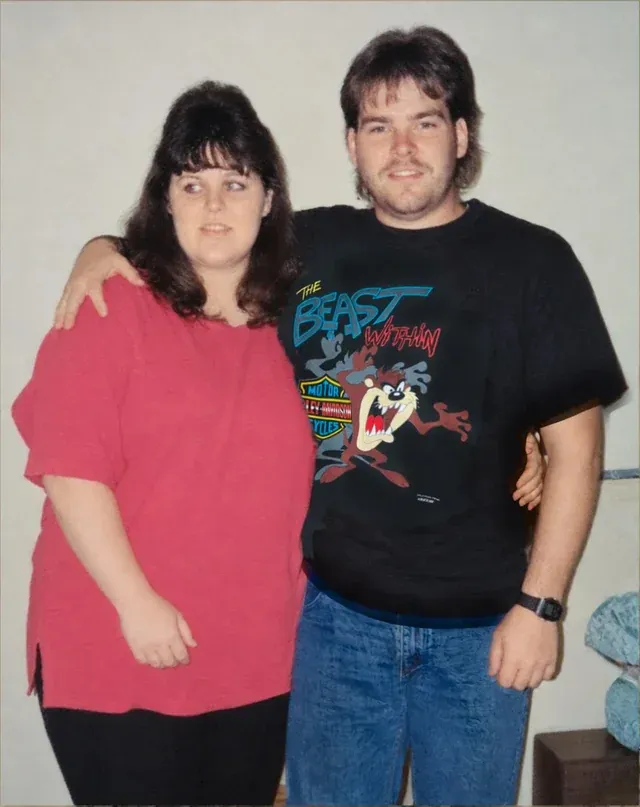
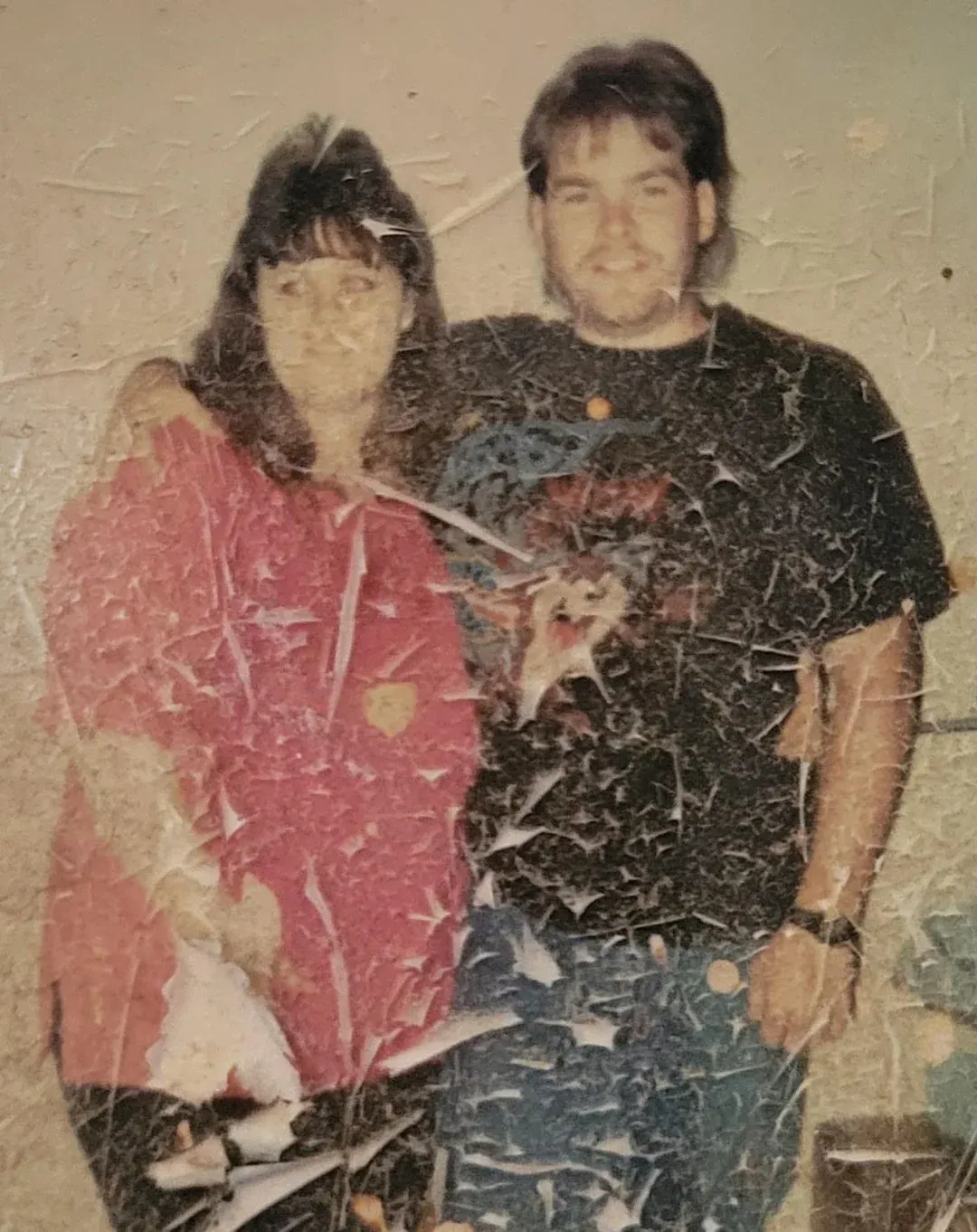
So if the print is damaged as well as grey, either use something that does both in one pass, or run the repair first and feed the cleaned file to a dedicated colorizer. Palette.fm produces better color than we do at a larger size; it will also faithfully color every crease you hand it.
Which one to pick
- A clean black and white scan, and you want it big
- Palette.fm. Up to 5000x5000 on a paid plan and $0.15 a photo on the yearly one, which is cheaper per image than anything else here including us.
- A damaged print that also needs color
- Something that repairs and colorizes together, so the damage is gone before the color goes on. That is the case we built for.
- You already pay for a family tree
- MyHeritage In Color, unlimited on the Complete plan you are already buying, with the result attached to the right person.
- You want to pay nothing and can run code
- DeOldify. Free, open source, no upload, no account, no watermark. You supply the patience.
- You want one subscription for many AI tools
- DeepAI at $7.50 a month billed annually, or its $1 per 100 images wallet if you would rather not subscribe.
What it costs here
One credit colorizes one photo, and a credit is between $0.44 and $0.70 depending on the pack. No subscription, nothing renews, and the credits do not expire, which suits a job that ends: a shoebox turns up, you work through it, and then you stop for a year.
| Pack | Photos | Price | Full 1080p | No watermark | Never expires | |
|---|---|---|---|---|---|---|
| Basic | 10 | $6.99$0.70 each | Full 1080p: included | No watermark: included | Never expires: included | Buy |
| Plus | 25 | $16.99$0.68 each | Full 1080p: included | No watermark: included | Never expires: included | Buy |
| Probest value | 50 | $29.99$0.60 each | Full 1080p: included | No watermark: included | Never expires: included | Buy |
| Studio | 100 | $54.99$0.55 each | Full 1080p: included | No watermark: included | Never expires: included | Buy |
| Max | 250 | $109.99$0.44 each | Full 1080p: included | No watermark: included | Never expires: included | Buy |
One credit restores one photo. Every pack includes the same everything: nothing is held back for the larger ones, and the only difference is how many photos you get.
Results stay in your history for 30 days, the download is 1080p with no watermark, and there is a 30-day money-back guarantee. If what you actually have is damage rather than missing color, start with how to restore old photos.
Questions people ask
What is the best AI photo colorizer?
It depends on whether the photograph is only grey or also damaged, and any list answering otherwise is selling something. For a clean black and white scan where you want the largest possible export, Palette.fm at up to 5000x5000 is the specialist. For a damaged print, a tool that repairs and colorizes in one pass avoids colored scratches. If you already pay for MyHeritage, In Color is included. If you are technical and want to pay nothing, DeOldify is free and open source.
Did you test these colorizers on the same photo?
No, and we will not claim we did. A fair quality test means the same set of black and white originals through every tool, blind scoring, and repeating it each time a model changes, which happens every few months. What this page compares is published pricing, free tiers, watermarks and output size, all of which you can check against the sources linked in each entry. Quality you should judge yourself on a photograph you know.
Is there a free AI photo colorizer without a watermark?
DeOldify, if you are willing to run it yourself: it is open source, free, and nothing is stamped on the output. Among hosted tools, the free tiers usually recover their cost somehow. Palette.fm's free plan adds a Palette logo and resizes to 500x500, which is typical. The test for any of them is the same: produce a result, download the actual file, and open it at full size before paying.
How accurate are the colors?
Split the photograph into two kinds of thing. Skin, lips, hair, sky, grass, foliage, water, wood, brick and period uniforms fall in narrow natural ranges or are historically documented, and the prediction is usually close. A specific dress, a painted door, a car, somebody's eye colour on a print that lost it: no record of those survives in a black and white frame, so they are invented plausibly rather than recovered. Keep the original scan and tell people the colors are an interpretation.
Should I repair the photo before colorizing it?
Always, and it is the single biggest thing people get wrong. A scratch reads to a colorization model as a boundary between two objects, so it paints along the line and leaves a colored stripe that is harder to remove than the original scratch was. Repair first, color second. Tools that do both in one pass handle the ordering for you.
Can Photoshop colorize a black and white photo?
Yes, by hand, and it will beat any of these on a photograph that matters if you have the hours. The manual method is selecting each region, adding a Solid Color layer set to Color blend mode, and painting masks, which is two to four hours for a portrait. There is also a Colorize neural filter that is quicker and closer to what the tools here do. For one photograph the manual route wins; for forty it is a month of evenings.
Why is this list on the site of one of the tools?
Because it is, and hiding it would be worse. We make RestoreYourPhoto, it is first in the table, and you should read the comparison with that in mind. In exchange: every price was read off the vendor's own page on 3 November 2026, each entry links to its source, and we have written down where a competitor beats us. Palette.fm is cheaper per photo and exports far larger than we do, which is said plainly above rather than left out.